


Currency Guide
Controls & Menu
Press B to open Bag (opens in a new tab), then select Money Bag in the top row. Select a currency to inspect it.
Note: These instructions use the game’s default controls. To change your button settings, go to Settings → Keyboard & Mouse → Button Settings.Check Your Money Bag
If you have money but cannot afford an item, check the currency icon beside its price. Each currency has a separate balance. Open Money Bag, select the matching icon and read How to Obtain for earning routes or Usage for shops that accept it.
Everyday Currency
For routine upgrades and supplies, start with these three balances. Match the price icon before buying; Coins and Commerce Coin are different currencies.
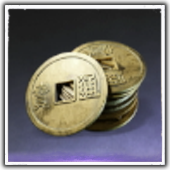
- Coins
Use for character and gear upgrades, crafting costs and Bag (opens in a new tab) expansion. Earn through quests, enemies and exploration; check available Coin bundles in Season Shop (opens in a new tab) when short.
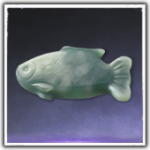
- Jade Fish
Spend in Season Shop (opens in a new tab) on gear chests, upgrade supplies and other listed rewards. Earn through quests, exploration and Engagement activities. For a quick upgrade, check the materials you currently need before buying.
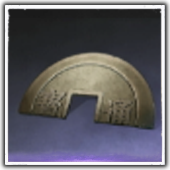
- Commerce Coin
Use for merchant goods and mini-game entry fees. Earn from quest and mini-game rewards, or trading activities such as selling captured horses. This is a separate balance from Coins.
Catch-up and Gear Exchange
For older gear and upgrade supplies, check Season Catch-up (opens in a new tab) and its Trace Jade price. For custom Legendary equipment, check Legendary Gear Exchange and the exact Gear Echo token it requires. Gear Sources (opens in a new tab) explains how to buy and open these chests.
| Currency | Where to Spend It | Common Sources |
|---|---|---|
| Trace Jade | Season Shop (opens in a new tab) → Season Catch-up (opens in a new tab): gear, materials and Coins. | Engagement rewards and recycling eligible older development materials. Check the return before recycling. |
| Gear Echoes | Legendary Gear Exchange: chests and listed gear supplies. Match the full name, such as Gear Echo: Mirage. | Gear Echo: Mirage lists Sword Trial and Journal - Challenge. Check other token names separately; rewards require the matching currency. |
Echo Jade, Echo Bead and Draw Tickets
Echo Jade is earned in-game; Echo Bead is purchased with real money. They are separate balances. If you choose to use a cosmetic draw, match its ticket icon too: Resonating Melody and Lingering Melody belong to different banners.
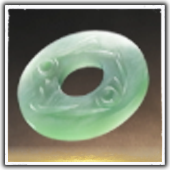
- Echo Jade
Earn from quests, exploration, achievements and events. Spend on eligible shop items and draw tickets, including Resonating Melody. Some merchants also accept it for Inner Way (opens in a new tab) pages.
- Echo Bead
Purchased with real money. Used for eligible cosmetics and draw purchases. You do not need Echo Beads to follow the main story or use the upgrade routes in this guide.
- Resonating Melody
A ticket for the permanent Solemn Echo draw. Obtain from eligible rewards or exchange Echo Jade in the shop. Check the banner’s ticket icon before confirming.
- Lingering Melody
A ticket for Celestial Echo draws. Obtain from selected quests, events and shop exchanges. Preview the current banner and its rewards before using one.

What’s Stopping You?
I Have Coins but Cannot Afford This Item
Check the icon and full currency name beside the price. Coins, Commerce Coin, Jade Fish and Echo Jade have separate balances. Select the required currency in Money Bag to see how to earn it.
I Stopped Earning a Currency
Select it in Money Bag and check the current earning limit. A weekly cap may pause further earnings until reset. Check the activity’s reward rules too; a shop’s purchase limit is separate.